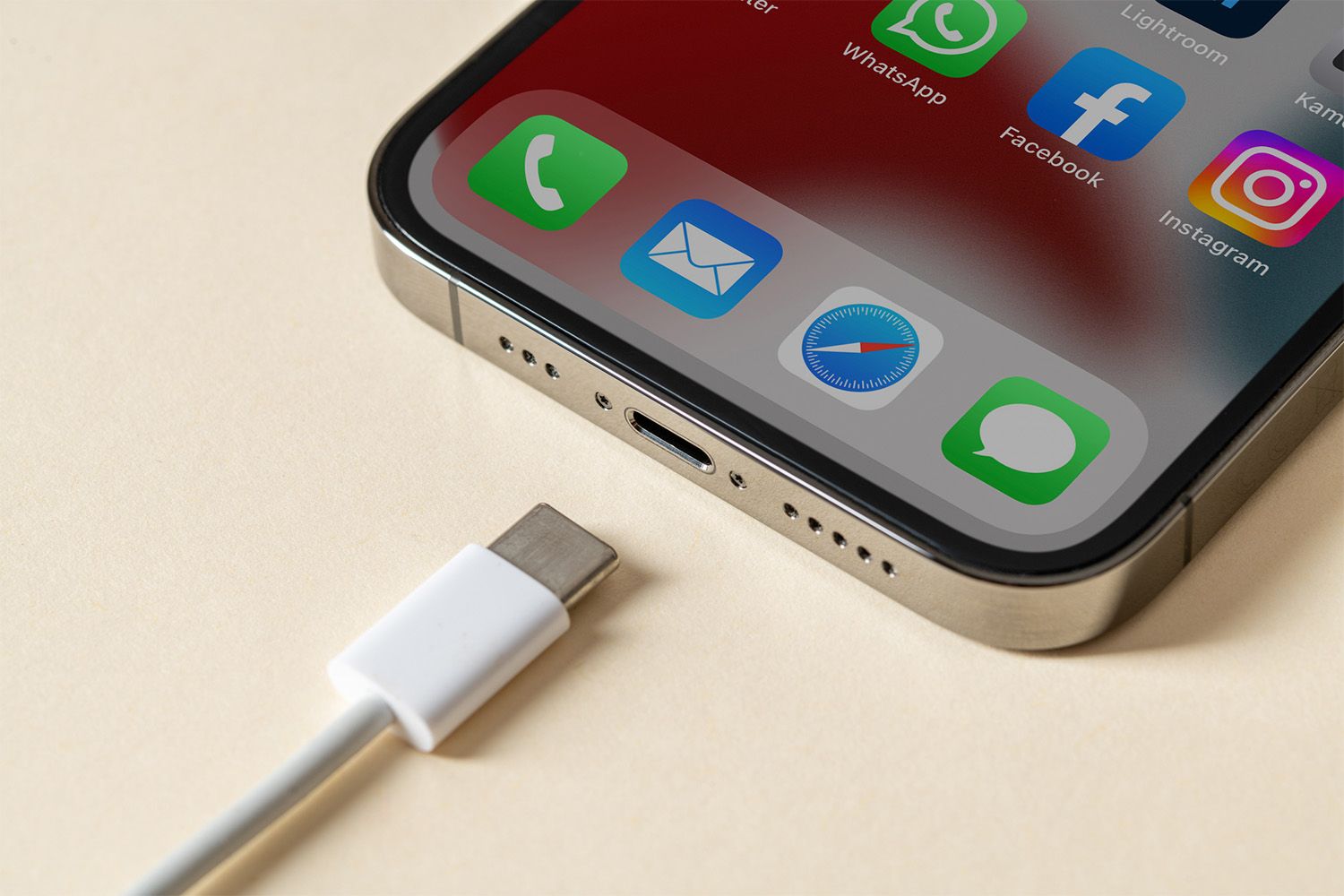
How to Repair Your iPhone Charger
If your iPhone charger has stopped working, you are not alone. Thousands of iPhone users in Toronto and across Canada deal with a broken iphone charger every single day. Whether the cable is fraying, the charging port is not working on your iPhone, or the power brick has simply given up, a dead charger can bring your entire day to a halt. At Ask Computers, we have been repairing iPhones and helping customers troubleshoot their Apple accessories for over 15 years, and in this guide we are going to walk you through everything you need to know about how to fix a broken charger, when to replace it, and when to bring your device in for professional help.
This is the most complete guide you will find on this topic. We cover every scenario from a basic iphone charger not working issue all the way through to a damaged charging port not working on your iPhone, and we give you honest, practical advice at every step.
Why Your iPhone Charger Stops Working in the First Place
Before you jump into repairs, it helps to understand why iphone chargers fail so frequently. Apple designs its products to high standards, but chargers and cables are accessories that take a beating every single day. You coil them up, stuff them in bags, bend them around corners, and plug and unplug them dozens of times a week.
The cable itself is actually one of the most mechanically stressed parts of your entire Apple setup. The points where the cable meets the connector on each end are under constant strain, and over time the outer sheathing cracks, the internal wires begin to fray, and the cable gradually loses its ability to carry a consistent current.
The original iphone charger that comes in the box with your device is engineered to Apple’s specifications, but it is not indestructible. Third-party iphone chargers can vary wildly in quality, and many of the cheap options you find online lack the internal protections that prevent voltage spikes and current irregularities from damaging your phone over time.
Understanding this helps you make smarter decisions about whether to repair, replace, or upgrade what you have.
Step One: Confirm That the Charger Is Actually the Problem
The single biggest mistake people make when their iphone charging port is not working is assuming the charger is at fault. In reality, the problem could be in the cable, the power brick, the wall outlet, the charging port on the iPhone itself, or even the battery. Jumping straight to buying a new charger can waste your money if something else is the actual cause.
Here is how to methodically rule out each possibility:
Try a different wall outlet first. It sounds too simple, but a tripped circuit or a faulty surge protector can make it look like your charger iphone setup has a problem when the outlet is actually dead. Plug a lamp or another device into the same outlet to confirm it has power.
Try a different USB port or power brick. If you have another charger iphone-compatible brick in your home or office, swap it in and use the same cable. If the phone charges, the brick was the problem. If it still does not charge, the cable or the port is at fault.
Try charging from a computer’s USB port. USB ports on laptops and desktops provide lower wattage but will still charge your iPhone slowly if the cable and port are working. If the phone charges this way but not from the wall, the power brick is your culprit.
Try a completely different cable. If you have a spare Lightning or USB-C cable, swap it in and see if charging resumes. If it does, your cable was the problem, not the port.
Only once you have ruled out these variables should you move on to investigating the phone’s charging port itself.
Step Two: Inspect the iPhone Charging Port for Debris and Damage
If a fresh cable and a working outlet still leave your iphone charging port not working, it is time to take a close look at the port on the bottom of the phone. This small rectangular slot is exposed to everything your pocket has to offer, and lint, dust, grit, sand, and fine debris accumulate inside it over time.
When enough debris packs into the charging port, the metal contacts inside cannot make proper contact with the cable connector. The result feels exactly like a hardware failure, but a thorough cleaning is all that is needed.
Here is the safe way to clean an iPhone charging port:
Power off your iPhone completely before you do anything to the port. You do not want a static discharge or an accidental short while you are working inside the connector.
Use a wooden or plastic toothpick rather than anything metal. Metal tools risk scratching the delicate gold contacts inside the port and can cause a short circuit if the phone is powered on. Gently work the tip of the toothpick around the inside edge of the connector and dislodge any visible lint or debris.
Use a can of compressed air held at a safe distance. Short bursts from a few inches away can dislodge loosely packed debris without forcing moisture into the port. Never blow into the port with your mouth as saliva introduces moisture that can corrode the contacts.
Use a bright light, such as the torch on another phone, to inspect the port after cleaning. If the gold contacts are visible and undamaged, and the port now looks clean, go ahead and try your charger again.
If you can see bent, corroded, or broken contacts inside the port, that is a hardware issue that requires professional repair. At Ask Computers, our technicians know how to fix iphone charging port damage including bent pins and corroded contacts, and we carry parts in stock for quick turnaround.
Step Three: Check for Moisture in the Port
Modern iPhones have moisture detection circuits built directly into the hardware. If water or any other liquid has entered the charging port, your iPhone will refuse to charge and will display an alert telling you that liquid has been detected. This is a protective feature, not a malfunction.
If you see this alert, the worst thing you can do is force the cable in anyway. Doing so while the contacts are wet can cause a short circuit that permanently damages the charging circuitry inside the phone.
The correct approach is to gently shake the phone with the port facing down to dislodge any pooled liquid, then leave the phone in a dry, well-ventilated area for several hours. Do not use a hairdryer. The heat and airflow pressure can drive moisture deeper into the phone and damage internal components. Do not put the phone in a bag of rice either as rice produces fine starch dust that can settle inside the port and make the problem worse.
If the moisture alert persists for more than 24 hours even after the phone has been in a dry environment, the moisture sensor itself may be triggered by corrosion rather than active liquid, which is a repair situation. Bring your phone into our shop at 111 Front St E, Toronto, and we can assess it for you at no charge for a basic estimate.
Step Four: Examine the Cable for Physical Damage
A visually healthy cable can still carry a failing charge, but in most cases iphone charger not working situations are preceded by visible damage that owners overlook or dismiss as cosmetic.
Run your fingers along the entire length of the cable and feel for kinks, lumps, or stiff sections. These are signs of internal wire damage. The internal conductors are fine copper strands that snap when the cable is bent too sharply or too frequently, and once they begin to break the cable may work intermittently before failing entirely.
Pay close attention to the two strain-relief zones: the point where the cable exits the Lightning or USB-C connector at the phone end, and the point where it exits the USB-A or USB-C connector at the brick end. These are the highest-stress points on any cable, and they fray here first. If the outer sheathing is cracked, peeling, or exposing the inner insulation layers at either of these points, the cable should be replaced.
A cable with exposed internal wiring is also a safety risk. A short circuit at a frayed point can generate enough heat to cause burns or, in rare cases, a fire. Do not continue using a cable that has exposed conductors.
If the cable appears intact but the phone still does not charge, the damage is internal. Wire failures inside an undamaged sheathing are common after long periods of use, particularly in cables that have been repeatedly bent at a sharp angle, such as when a phone is used while charging and the cable is kinked against a flat surface.
Step Five: Understanding What the Electrical Tape Trick Can and Cannot Do
If you search online for how to fix a broken charger, you will quickly find recommendations to wrap a fraying cable in electrical tape. This is a temporary measure only, and it is worth understanding exactly what it does and does not accomplish.
Electrical tape applied over a fraying section of cable does two things. It reinforces the outer sheathing so the cable flexes at a slightly different angle, reducing the rate of further damage at that specific point. It also covers any exposed conductors so they do not short against each other or against a conductive surface.
What electrical tape cannot do is repair broken internal conductors. If the copper strands inside the cable have already snapped, wrapping the outside with tape will not restore electrical continuity. The cable will still not charge, or will charge only when held in a very specific position.
If the electrical tape approach allows your cable to work reliably and consistently, it means the internal wires are intact and the tape is successfully stabilizing the strain relief zone. In that case, the fix may give you weeks or even a couple of months of additional service from the cable. But it is not a permanent solution, and you should treat it as a bridge while you source a replacement cable rather than a final fix.
Never use electrical tape inside the charging port or on the metal connectors at either end of the cable. Tape residue inside a port can be extremely difficult to remove and can interfere with the electrical contacts.
Step Six: When the Problem Is the Power Brick
The power brick, which is the wall adapter that the cable plugs into, is less commonly the failure point compared to the cable, but it does fail. The most common cause is an internal component failure triggered by a voltage spike on the power line, which is why plugging your iphone charger setup into a quality surge protector is always a good habit.
If the power brick feels warm to the touch even when no device is connected, smells faintly of burning plastic, makes any clicking or buzzing sound, or simply produces no output voltage at all, it needs to be replaced immediately and should not be used further.
Unlike the cable, there is no safe way for a non-professional to repair a power brick at home. The interior of a charger brick contains capacitors that can hold a lethal charge even after the brick is unplugged from the wall. Never open a power brick. If it is faulty, recycle it appropriately and replace it.
When shopping for a replacement apple phone charger, the original iphone charger or one that carries Apple MFi certification is strongly recommended. MFi-certified chargers have been tested to meet Apple’s electrical and safety specifications. Non-certified chargers may charge your phone, but they can also deliver inconsistent voltage that stresses your battery over time and, in worst-case scenarios, causes internal hardware damage.
If you need an apple charger near me in Toronto, Ask Computers stocks a selection of quality accessories at our Front Street location. You do not need to make a special trip to an Apple store or pay premium retail prices for a safe, compatible charger.
Step Seven: Is Your Apple Warranty Still Active?
If your iphone charger is an original Apple product that came with your device, Apple provides a one-year limited warranty on its accessories from the date of purchase. If your charger has failed within that window and the failure is not due to accidental damage, Apple should replace it at no cost.
Check your purchase date and visit an Apple Authorized Service Provider or an Apple Store to have the charger assessed under warranty. Bring your original receipt or proof of purchase if you have it. Apple’s warranty process is generally straightforward for genuine accessory failures.
For chargers that are outside of warranty or for third-party options, the replacement route is always more practical than any repair attempt. The retail cost of a new Lightning or USB-C cable is low enough that the time invested in attempting a repair rarely makes financial sense.
Step Eight: What to Do When the iPhone Itself Is the Problem
If you have tried multiple cables, multiple power bricks, and multiple outlets and your iPhone still refuses to charge, the problem is inside the phone. At this stage you are dealing with one of three issues: a damaged charging port, a faulty battery, or a problem with the charging controller chip on the logic board.
A damaged charging port is the most common of these three. The iphone charger port not working scenario is something our technicians at Ask Computers diagnose and repair on a daily basis. The most frequent causes are physical damage from dropping the phone with a cable inserted, bent pins from forcing a misaligned cable into the port, and corrosion from prolonged moisture exposure.
A charging port replacement is a straightforward repair for an experienced technician. We carry charging port assemblies in stock for most iPhone models, and in many cases we can complete the repair within the same day you bring the phone in. If you have been searching for iphone chargers near me or iphone accessories near me and finding nothing useful, our shop at 111 Front St E in downtown Toronto is a convenient stop whether you are commuting or working nearby.
A battery that has expanded due to age or has been damaged by repeated charging with a faulty charger may also prevent your iPhone from charging correctly. An expanded battery is a safety issue and should be replaced promptly. If you notice any bulging in the rear glass or the phone frame at all, treat it as urgent and bring it in immediately.
Logic board-level charging faults are the most complex scenario and require diagnostic equipment to identify the specific failed component. These repairs are within our capability, and we will always give you a clear estimate before any work begins.
Step Nine: Choosing the Right Replacement Charger
When the time comes to replace your apple phone charger, the options can be overwhelming. Here is a practical breakdown of what matters and what does not.
The connector type on the phone end of your cable is determined by your iPhone model. iPhones released in 2012 through 2022 use the Lightning connector. The iPhone 15 and all subsequent models use USB-C. There is no adapter that performs as well as a native cable, so match the connector to your phone model.
On the wall adapter side, wattage matters for charging speed. A 5W brick charges at standard speed. A 20W or higher USB-C Power Delivery brick enables fast charging on iPhones that support it, which includes iPhone 8 and later. If you want the fastest possible charge, pair a 20W or higher USB-C brick with a USB-C to Lightning cable or a USB-C to USB-C cable on an iPhone 15 or later.
MFi certification, which stands for Made for iPhone, is the most important quality signal for third-party cables and adapters. An MFi certification means the manufacturer has licensed Apple’s connector technology and had the product tested for compatibility and safety. If you are buying iphone chargers from a third-party brand rather than directly from Apple, look for the MFi badge on the packaging.
Avoid extremely cheap cables from unknown brands, particularly those sold without any certification markings. These cables regularly fail within weeks, and some carry genuine safety risks from poor insulation and unreliable connectors.
Step Ten: Protecting Your Charger from Future Damage
Once you have sorted out your charging situation, a few simple habits can dramatically extend the life of your next cable.
Never wrap a cable tightly around the power brick for storage. The tight radius stresses the internal wires and the strain relief zones in exactly the way that causes early failures. Instead, coil the cable loosely in a wider loop and secure it with a velcro tie rather than wrapping it around a rigid object.
Do not let the cable hang freely when the phone is charging on a high surface. If the phone is on a desk or nightstand and the cable hangs over the edge, the weight of the cable pulls down on the connector in the phone’s port and gradually bends the internal pins. Route the cable flat along the surface instead.
Use a cable protector or a spring from a pen inserted over the strain relief zone at the Lightning or USB-C connector end. This is a well-known DIY trick that works remarkably well. The spring absorbs the bending stress at the cable-connector junction and distributes it over a longer section of cable, dramatically reducing the rate of fraying at that point.
If you are buying iphone accessories near me and looking for something more polished, there are commercially available cable protectors and cable sleeves that do the same job more attractively and are worth the modest investment.
Why Choose Ask Computers for Your iPhone Charger and Repair Needs
At Ask Computers, we have been serving Toronto’s tech community from our downtown location at 111 Front St E for over 15 years. We are not a franchise or a big-box operation. We are a locally owned and operated repair shop staffed by technicians who genuinely know Apple hardware, and our 4.8-star rating based on over 350 Google reviews reflects the care we put into every single repair. When your iphone charging port is not working, when you need help figuring out how to fix iphone charging port damage, or when you simply want honest advice about whether your charger needs replacing or your phone needs servicing, our team gives you a straight answer without upselling you on services you do not need. We carry a curated selection of quality iphone accessories in-store, including MFi-certified cables and power adapters, so you can walk out with everything you need in a single visit. We also offer free basic estimates on repairs, no appointment required. If you have been searching for an apple charger near me or iphone accessories near me in Toronto, come by our shop and let us take a look.
Frequently Asked Questions About iPhone Charger Repair
Q. Why is my iPhone charging port not working even with a new cable?
If the iphone charging port not working issue persists even after you have tried multiple new cables and verified the power source is live, the problem is almost certainly inside the port itself. Debris, moisture, or physical damage to the contacts are the most common causes. A professional cleaning or port replacement at a shop like Ask Computers will resolve the issue in most cases.
Q. How do I know if my original iPhone charger is genuine?
A genuine original iphone charger will have Apple branding printed on the power brick, the cable will feel slightly stiffer and heavier than cheap knockoffs, and it will carry the MFi and CE or UL regulatory markings on the packaging. If you are unsure, plug it into a wattmeter to check whether the output voltage is stable at 5V. Fakes often show fluctuating voltage readings.
Q. Can I fix a broken iPhone charger cable at home?
If the outer sheathing is fraying but the internal wires are intact, the electrical tape approach described in this guide can stabilize the damage and extend the cable’s life for a while. However, if the internal conductors have snapped or the connector itself is damaged, there is no safe home repair. The cable should be replaced.
Q. Is it safe to use a third-party iPhone charger?
Third-party iphone chargers and cables are safe provided they carry MFi certification from Apple. Uncertified chargers can expose your phone to inconsistent voltage and current, potentially degrading the battery faster and, in rare cases, causing more serious hardware damage. Always look for MFi-certified products when purchasing from non-Apple brands.
Q. What does it mean when my iPhone says accessory not supported?
This message appears when an iPhone detects a cable or adapter that does not pass its authentication check. It almost always means the cable is not MFi-certified. Apple’s iPhones check for a small authentication chip in every cable, and cables without this chip trigger the warning. Replace the cable with a genuine Apple or MFi-certified alternative.
Q. Where can I find iPhone chargers near me in Toronto?
Ask Computers at 111 Front St E in downtown Toronto stocks MFi-certified iphone chargers, cables, and accessories. No appointment is needed. You can also call us at (416) 862-9595 to confirm availability before you visit.
Q. My iPhone charging port is not working after water exposure. What should I do?
Keep the phone powered off, leave it in a dry and ventilated area for at least 24 hours, and do not attempt to charge it during that time. If the charging port is still not working after full drying, the contacts inside the port may be corroded and will need professional cleaning or replacement. Bring it into Ask Computers for a free assessment.
Q. How much does iPhone charging port repair cost in Toronto?
The cost depends on the iPhone model and the extent of the damage, but charging port repairs are generally one of the more affordable iPhone repair services. At Ask Computers we provide a clear, no-obligation estimate before any work begins so you know exactly what you are paying before we start.
Q. How can I protect my iPhone charger from breaking again?
Avoid wrapping the cable tightly, do not bend it at sharp angles near the connectors, use a cable protector at the strain relief zones, and store the cable loosely coiled rather than wrapped around the power brick. These habits alone can double or triple the lifespan of a typical cable.
Q. Does Ask Computers sell original iPhone chargers and accessories?
Yes. We stock a selection of quality iphone accessories including MFi-certified cables and adapters. We are one of the most convenient options if you are searching for iphone accessories near me or an apple charger near me in the Toronto downtown core.