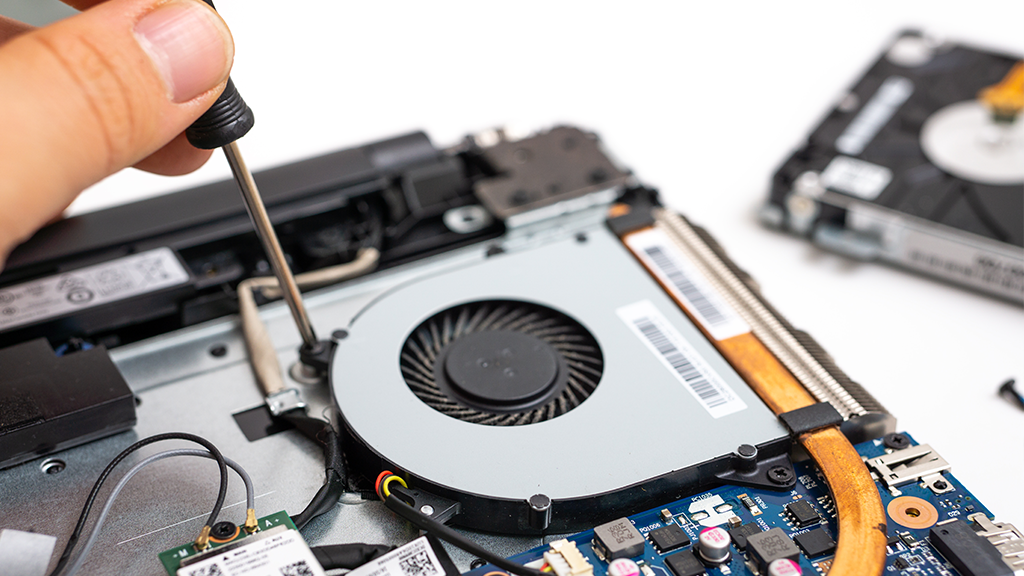
If you have ever wondered why your laptop suddenly sounds like it is about to take off, you are not alone. One of the most common concerns we hear at Ask Computers is about fan noise and constant overheating. Whether it is a MacBook, Dell, Asus, or any other brand, a laptop fan always running is usually a sign that your system is under stress. A computer fan loud issue should never be ignored because it often indicates deeper performance, dust, software, or hardware problems.
In this guide, we will break down in simple terms why is my laptop fan so loud, what it really means for your device, how it affects performance, and what practical steps you can take to fix it for good. Our goal is to help you understand your device better and avoid costly breakdowns in the future.
Understanding How the Laptop Fan Works
Your laptop fan is part of the cooling system designed to regulate internal temperature. Every laptop generates heat when it runs programs, loads websites, plays videos, or processes files. The fan pulls hot air away from core components like the processor and graphics chip and pushes cooler air inside.
When everything is working properly, you might barely notice the sound. But once you start to experience laptop fan noise, it means your system is struggling to keep cool. That struggle can come from heavy workloads, blocked airflow, dust buildup, faulty sensors, or even software problems.
Why Is My Laptop Fan So Loud All the Time
One of the most frequent searches we see online is why is my computer fan so loud and for good reason. There is rarely just one cause behind loud fans. It is usually a combination of issues working together.
A major reason is overheating. If your laptop is running hot constantly, the fan works overtime. This often happens when you use your laptop on soft surfaces like beds or couches that block air vents. It can also happen if you are using power hungry software for long hours.
Another common cause is background software activity. Many users have no idea how many apps are running behind the scenes. These hidden processes push your CPU harder and trigger the fan, making you feel like your laptop fan always running without any obvious reason.
Dust also plays a critical role. Over time, tiny particles clog the air intakes and heat sink. This forces the fan to spin faster just to maintain a safe temperature. This is one of the main reasons we recommend professional how to clean laptop fan services.
Why Is My MacBook Fan So Loud Suddenly
MacBook users often ask us why is my macbook fan so loud when they were previously used to near silent performance. Apple devices are optimized for efficiency, so loud fan behavior usually points to heating or sensor imbalance.
High temperature environments, unoptimized software updates, overheating batteries, or even malware can cause MacBooks to ramp up their fans. Video editing, running multiple Chrome tabs, or external display usage also contributes to loud fan behavior.
A sudden spike in MacBook fan noise often means the internal cooling system is under extreme pressure. Ignoring this can shorten the life of your logic board and battery.
How Fan Noise Affects Performance and Longevity
A loud fan is never just a sound problem. It is also a performance warning. When a system gets too hot, modern processors slow down automatically to protect themselves. This causes noticeable lag, freezing, and stuttering.
Long term overheating damages internal components. Heat weakens solder joints, degrades battery cells, stresses cooling systems, and may permanently damage the processor. What starts as simple laptop fan noise can quickly turn into a costly motherboard failure.
This is why we always advise addressing loud fan symptoms early through inspection, servicing, or professional laptop repair Toronto services.
The Role of a Laptop Cooler in Reducing Fan Noise
A laptop cooler can be extremely helpful in reducing temperature levels. Cooling pads improve airflow from underneath your device and assist the internal fan by lowering overall heat buildup. Many users notice a reduction in fan noise within minutes of using a quality cooler.
A laptop cooling stand also helps by elevating your laptop for better airflow and posture. This simple accessory reduces heat and improves comfort during long work sessions.
While coolers do not solve internal dust or hardware problems, they significantly reduce strain during daily use.
How to Clean Laptop Fan Safely
One of the most important maintenance steps is understanding how to clean laptop fan properly. Dust buildup is one of the top reasons for overheating and loud fan operation.
Professional cleaning involves opening the device, removing the heat sink, clearing clogged air ducts, and applying new thermal paste when necessary. While compressed air can remove surface dust, it cannot clear deeper blockages and often pushes dust further inside.
At Ask Computers, we perform full internal fan cleaning as part of our performance service package to ensure your device runs cool and quiet again.
When Software Is the Real Problem
Not all fan issues are hardware related. Sometimes a virus, corrupted drivers, faulty updates, or unstable applications push system resources to their limits.
In certain cases, users even ask about how to factory reset Asus laptop as a way to eliminate deep system conflicts. A full reset can remove heavy background programs, bloatware, and malware that may be silently driving CPU usage and triggering the fan.
However, a factory reset should only be done after proper diagnostics because it erases personal data. We always assess software health before recommending a reset.
Laptop Fan Noise in Dell Systems and Repair Options
Dell users regularly face overheating issues due to ventilation design and aging thermal systems. If you are dealing with constant overheating or excessive fan activity, professional Dell repair may be needed.
Thermal paste degradation, failing fans, blocked vents, and outdated BIOS firmware are all common in older Dell models. Timely service helps prevent motherboard damage and keeps performance stable.
Why Your Laptop Fan Is Always Running Even When Idle
If your fan sounds loud even when you are doing nothing, this often means hidden background operations are active. Automatic updates, indexing services, cloud sync tools, and even hidden malware may be pushing your CPU without visible signs.
Another reason could be failing temperature sensors. When a sensor malfunctions, it sends false heat readings, forcing the fan to run at full speed constantly. This is one of the more complex fan problems that require expert diagnostics.
How We Diagnose and Fix Fan Issues at Ask Computers
At Ask Computers, we go beyond surface level fixes. Our diagnosis process looks at both hardware and software. We test actual thermal output, fan speed calibration, system load, airflow efficiency, and internal dust accumulation.
Our team ensures that both the root cause and the symptoms of loud fan behavior are addressed. This complete approach allows us to confidently resolve long term overheating issues for all major brands.
Why Choose Us for Laptop Fan and Cooling Repairs
At Ask Computers, we are not just another repair shop. We specialize in thermal diagnostics, deep internal cleaning, software optimization, and advanced system tuning. Our technicians understand how overheating affects long term reliability and performance. We use professional grade tools, high quality thermal compounds, and precise cleaning methods to restore your device properly. Whether it is MacBook fan noise, Dell overheating, or constant Asus fan activity, our solutions are designed to extend the life of your laptop and improve its performance safely and affordably.
Frequently Asked Questions About Loud Laptop Fans
Q. Why is my laptop fan so loud even when I am not using heavy programs?
This usually happens due to background system processes, dust buildup, malware, or failing temperature sensors. Even if you are idle, your system may still be under high load internally.
Q. Why is my macbook fan so loud after an update?
Software updates sometimes change how system resources are handled. If the update causes background indexing or compatibility issues, the fan may become loud until the system stabilizes or receives optimization.
Q. Can a laptop cooling stand really reduce fan noise?
Yes, a laptop cooling stand improves airflow and reduces surface heat buildup. This helps your internal fan work less aggressively.
Q. Is loud fan noise dangerous for my laptop?
Yes, persistent loud fan noise usually signals overheating. Prolonged overheating can damage the processor, battery, motherboard, and internal circuits.
Q. How often should I clean my laptop fan?
For most users, internal fan cleaning every six to twelve months is ideal, especially in dusty environments.
Q. Should I factory reset my system to fix fan noise?
A reset can help if software conflicts or malware are causing high CPU usage. If the problem is hardware related, a reset will not fix the fan noise.