Slow internet is one of the most frustrating problems for homes across the GTA. Whether you are working from home, streaming Netflix, gaming online or attending virtual classes, weak or unstable Wi Fi can turn simple tasks into a headache. In a city like Toronto where apartments, condos and houses are packed closely together, wireless interference and outdated equipment are some of the biggest reasons people struggle to get the best wifi Toronto has available. The good news is that you do not need to be a tech expert to learn how to improve wifi performance at home. With a few easy adjustments, you can enjoy smoother browsing, faster downloads and a more reliable connection.
Many people assume they need a new internet plan to fix slow Wi Fi, but that is not always true. In most cases, small setup problems or poor signal coverage are what limit performance. When you understand how to increase wifi speed using simple methods, you can get more out of the internet you already pay for and finally experience what feels like the best wifi in Toronto right inside your own home.
Why your home Wi Fi feels slow even with fast internet
Your internet speed from your provider and your Wi Fi speed inside your home are not the same thing. You could have a fast plan from your ISP, but still struggle with buffering, lag or dropped connections. This happens when your router cannot properly distribute the signal or when the signal is blocked by walls, floors and other electronics.
In many Toronto condos and houses, Wi Fi signals have to compete with dozens of nearby networks. This congestion makes it harder to get a clean connection, which is why people often search for how to make wifi better when their devices show full bars but the internet still feels slow. Older routers, poor placement and outdated settings all play a role in limiting how to get better wifi signal.
The importance of router placement for better Wi Fi
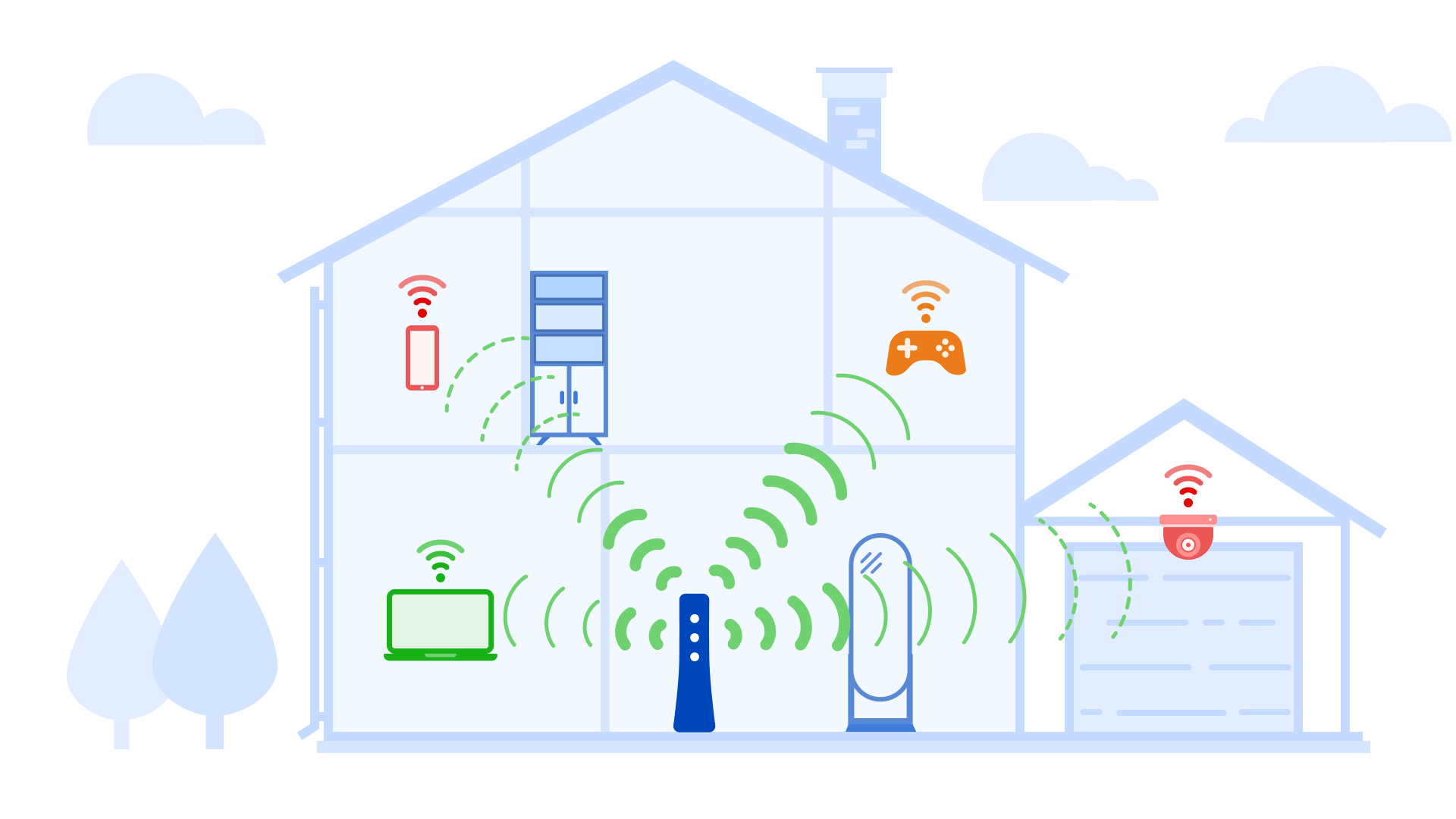
One of the easiest ways to boost wifi at home is to move your router to a better location. If your router is hidden in a corner, placed in a basement or surrounded by thick walls, the signal will struggle to reach the rest of your home. Wi Fi signals spread outward like ripples in water, so placing the router in a central and elevated location helps it cover more space.
In many Toronto homes, especially townhouses and condos, moving the router just a few feet can significantly boost wifi signal. Keeping it away from large metal objects, microwaves and other electronics can also help reduce interference. This simple change is one of the most effective ways to increase wifi range without spending any money.
How updating your router settings can increase speed
Your router has settings that control how it communicates with your devices. If these settings are outdated or misconfigured, your Wi Fi performance will suffer. Updating the firmware of your router is one of the easiest ways to boost wifi signal and improve stability. Manufacturers regularly release updates that fix bugs and improve performance.
Choosing the right Wi Fi channel also helps how to boost wifi in busy areas like wifi Toronto neighborhoods. Many routers are set to auto, but manually selecting a less crowded channel can help you get better speeds and fewer dropouts. This is one of the smartest ways to learn how to increase wifi speed without changing your internet plan.
Why your devices also affect Wi Fi performance
Your phone, laptop and smart devices play a big role in how to improve wifi experience. Older devices may not support modern Wi Fi standards, which limits how fast they can connect even if your router is new. If one slow device is constantly using bandwidth, it can affect everything else on the network.
Making sure your devices are updated and disconnecting ones you are not using can help how to make wifi better across your home. This is especially important in families or shared apartments where multiple people are streaming, gaming or working online at the same time.
Using extenders and mesh systems to boost coverage
If you have dead zones in your home, it is time to look at ways to increase wifi range. Wi Fi extenders and mesh systems are designed to push your signal into areas your router cannot reach on its own. This is one of the best ways to boost wifi in larger Toronto homes, basements or multi level condos.
Mesh systems are especially popular for people who want the best wifi in Toronto style living spaces because they create one strong network instead of multiple weak ones. This makes it easier to move around your home without losing signal or speed.
Internet plans and what really matters
Many people think switching providers is the answer, but that is not always true. Before you chase the best wifi Toronto packages, it is important to make sure your home setup is optimized. A fast plan will not help if your Wi Fi signal is weak or poorly distributed.
Once your router and home network are properly set up, you will be able to see if you truly need a higher speed plan. That is when you can decide if upgrading makes sense for your household and your usage.
Why choose Ask Computers for Wi Fi optimization
At Ask Computers, we understand how frustrating poor Wi Fi can be, especially in a busy city like Toronto. Our team specializes in diagnosing and fixing Wi Fi problems for homes and small offices. Whether you want to boost wifi signal, improve coverage, or find the best wifi in Toronto for your space, we provide expert support that is simple, affordable and tailored to your needs. We do not just fix the problem, we make sure your internet works the way it should every day.
If you are ready to enjoy faster and more reliable Wi Fi, contact Ask Computers today and let us help you get the connection you deserve.
Frequently Asked Questions
Q. How can I improve my Wi Fi speed at home?
Learning how to improve wifi starts with checking your router placement, updating its firmware and making sure there is no interference from other devices. These small changes can greatly improve performance.
Q. What is the best way to increase Wi Fi speed in Toronto?
In crowded areas like wifi Toronto, choosing the right Wi Fi channel and using modern equipment can make a big difference. A mesh system also helps when many networks are nearby.
Q. How do I make my Wi Fi better without changing my plan?
You can boost wifi by optimizing your router, updating your devices and reducing interference. These steps often provide noticeable improvements without spending more on internet service.
Q. How can I boost my Wi Fi signal in large homes?
Using Wi Fi extenders or mesh systems is the best way to boost wifi signal and increase wifi range so that every room gets a strong and stable connection.
Q. How do I get a better Wi Fi signal in condos and apartments?
To know how to get better wifi signal in tight spaces, place your router centrally, avoid crowded channels and use modern routers that handle interference well.
Q. What is considered the best Wi Fi in Toronto?
The best wifi in Toronto depends on both your internet provider and how your home network is set up. Even a great plan needs proper Wi Fi configuration to perform well.
Q. Can Ask Computers help with Wi Fi issues?
Yes, Ask Computers provides expert support to help boost wifi, improve coverage and ensure you get the best possible Wi Fi experience in your home.