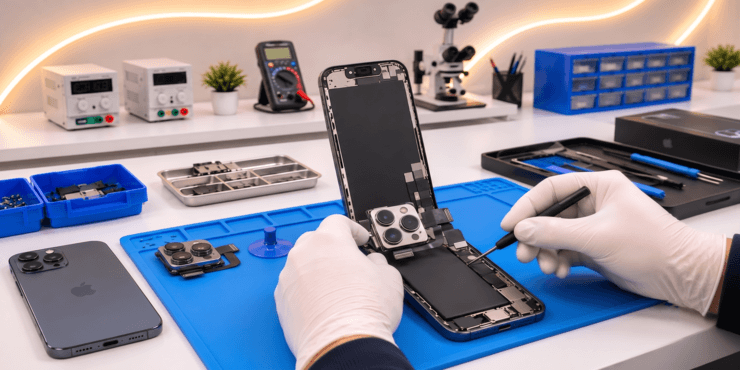
Why Is My iPhone Camera Not Working? Troubleshooting & Repair Guide
Quick Answer: If your iPhone camera is not working, the problem could be caused by an iOS issue, an obstructed lens, an accessory interfering with the camera, or damaged hardware. Restarting your iPhone, updating iOS, cleaning the lens, and checking the front and rear cameras can help identify the cause. If the camera continues showing a black screen, fails to focus, or shakes unexpectedly, professional repair may be necessary.
Your iPhone camera plays an important role in everyday life, from capturing family memories to scanning documents and attending video calls.
When it stops working, the problem can range from blurry photos to a completely black camera preview.
Fortunately, not every camera issue means you need a new phone.
This guide explains why your iPhone camera might stop working, what you can safely try at home, and when to consider iPhone camera repair in Toronto.
Common Signs of an iPhone Camera Problem
Camera issues can appear in different ways depending on the underlying cause.
Some of the most common symptoms include:
- The Camera app opens but shows a black screen.
- The rear camera works but the front camera does not.
- Photos look blurry even after cleaning the lens.
- The camera struggles to focus on subjects.
- The camera image shakes or vibrates unexpectedly.
- The Camera app freezes or closes.
- The flash does not work as expected.
- Photos contain unusual spots, distortion, or visual artefacts.
These symptoms do not all have the same solution.
For example, a dirty lens may cause blurry photos, while a damaged camera module may require replacement.
7 Reasons Your iPhone Camera May Not Be Working
1. Temporary Camera App or iOS Issues
A temporary software problem can sometimes prevent the Camera app from functioning normally.
You may see a black preview, experience delayed focusing, or notice that the app closes unexpectedly.
Restarting your iPhone and updating its software can resolve some of these issues.
However, repeated camera failures after troubleshooting may indicate a hardware problem.
2. Dirty or Obstructed Camera Lens
Fingerprints, dust, and oily residue can affect photo clarity.
A poorly fitted case or camera lens protector may also interfere with the camera’s field of view.
Clean the outer lens carefully with a clean microfibre cloth.
Remove any accessory that might obstruct the camera and test it again.
If your iPhone camera remains blurry after cleaning, the problem may involve focusing hardware or damage to the camera assembly.
3. Damaged Camera Module
An iPhone camera contains delicate internal components.
A strong impact can affect its operation even when the phone’s outer glass appears undamaged.
Possible symptoms include a black preview, unreliable focusing, or a camera that no longer captures images.
A professional technician can determine whether a camera module replacement is appropriate.
Ask Computers offers iPhone camera repair services in Toronto for front and rear camera problems.
4. Camera Autofocus Problems
Autofocus allows your iPhone to adjust the camera for subjects at different distances.
If the camera won’t focus, the issue might involve low lighting, an obstructed lens, accessories, software, or damaged focusing hardware.
Try photographing a well-lit subject at a normal distance.
If focus problems occur consistently across different conditions, the camera may need inspection.
5. Camera Shaking or Unusual Vibrations
Some camera modules use optical image stabilization to help reduce motion blur.
If the stabilization mechanism or camera assembly develops a fault, the camera preview may shake or appear unstable.
External accessories containing magnets can also interfere with some camera functions.
Remove magnetic attachments or third-party lens accessories and test the camera again.
If the shaking continues, professional diagnosis may be needed.
6. Liquid Damage
Liquid exposure can affect camera components and their internal electrical connections.
Symptoms may include moisture visible behind the lens, focusing problems, image distortion, or complete camera failure.
If the device has recently been exposed to liquid, avoid charging it until safe to do so.
Seek a professional assessment if the camera continues to malfunction.
7. Internal Connection or Logic Board Faults
Not all camera problems originate inside the camera module.
A damaged connector or internal circuit can sometimes interfere with camera functionality.
This is particularly relevant if the issue started after a severe impact, liquid exposure, or previous device repair.
A technician may need to examine the camera module and its related circuitry before recommending a repair.
How to Fix an iPhone Camera That Is Not Working
Before booking a repair, try these simple troubleshooting steps.
Step 1: Restart Your iPhone
A restart can resolve temporary software problems that affect camera functionality.
Turn your iPhone off, switch it back on, and open the Camera app.
Check whether the camera is working normally.
Step 2: Remove Your Case or Camera Accessories
Remove any accessory that could cover the lens or interfere with the camera.
This includes some magnetic attachments and third-party lens accessories.
Test your camera without those accessories to determine whether they are contributing to the problem.
Step 3: Clean the Camera Lens
Use a soft microfibre cloth to remove fingerprints and smudges from the lens cover.
Avoid abrasive materials or harsh cleaning chemicals.
Open the Camera app again and compare the results.
Step 4: Switch Between the Front and Rear Cameras
Open the Camera app and use the camera-switching control.
Check whether both the front and rear cameras work.
If one works while the other consistently fails, the symptoms can help narrow down the fault.
Step 5: Update iOS
Go to Settings > General > Software Update and check for available updates.
An update may resolve certain software-related camera problems.
Back up your device before major software changes whenever possible.
Step 6: Test the Camera in Different Conditions
Try photographing a subject in good lighting.
Check whether the camera focuses at different distances.
You can also test video recording to see whether the issue affects multiple camera functions.
If the image remains black, blurry, or unstable, further investigation may be appropriate.
When Should You Get Your iPhone Camera Repaired?
Some camera problems are easy to fix. Others require professional attention.
| Camera problem | Possible cause | Suggested next step |
|---|---|---|
| Blurry photographs | Dirty lens, accessory, or focus issue | Clean lens and test |
| Camera preview is black | Software or hardware fault | Restart, update, and diagnose |
| Rear camera not working | Possible rear camera component fault | Request inspection |
| Front camera not working | Software or front camera hardware issue | Test and diagnose |
| Camera constantly shaking | Accessory interference or stabilization fault | Remove accessories and inspect |
| Visible cracked camera glass | Physical damage | Request camera glass repair |
| Camera stopped after liquid exposure | Possible internal damage | Seek professional assessment |
Avoid replacing camera components based on symptoms alone. A proper diagnosis can help identify the faulty part.
Need iPhone Camera Repair in Toronto?
If your iPhone camera is still not working after basic troubleshooting, Ask Computers can help assess the problem.
Our technicians work with issues involving blurry photos, camera module faults, broken camera glass, and other camera-related failures.
Get an iPhone Camera Repair Quote
Visit our downtown Toronto location or ask about available repair options for your iPhone model.
Can an iPhone Camera Be Repaired Without Replacing the Phone?
In many cases, yes.
If the problem is limited to the camera module or damaged outer camera glass, an appropriate component repair may restore normal operation.
For example, replacing a damaged camera assembly can sometimes address failures involving focus, image capture, or stabilization.
However, more complicated faults may involve internal connections or the logic board.
Ask Computers provides camera repair options and broader iPhone repair services in Toronto for devices with multiple hardware issues.
A technician should confirm the cause before recommending replacement parts.
How Much Does iPhone Camera Repair Cost in Toronto?
The cost depends on several factors:
- Your iPhone model and camera system.
- Whether the front or rear camera is affected.
- Whether only the outer camera glass is damaged.
- The availability and type of replacement components.
- Whether there is additional liquid or internal circuit damage.
For example, repairing camera glass may involve different work from replacing a complete camera module.
Rather than assuming every camera issue has the same price, request an estimate based on your specific device and symptoms.
You can contact Ask Computers through our iPhone camera repair page for information about available services.
How to Prevent Future iPhone Camera Problems
Although camera hardware can fail unexpectedly, preventive care helps reduce avoidable damage.
Use a protective case that does not obstruct the camera. Clean the lens regularly, avoid exposing your phone to liquid, and keep iOS updated.
Be careful with third-party accessories positioned near the camera system, particularly magnetic attachments.
If the camera begins showing repeated focusing errors, image shaking, or intermittent black screens, investigate the issue before it becomes worse.
Frequently Asked Questions About iPhone Camera Problems
Why is my iPhone camera showing a black screen?
A black camera preview may result from a temporary software issue or a hardware problem. Restart the phone, update iOS, and test the front and rear cameras. If the issue continues, seek a diagnosis.
Why is my iPhone camera blurry even after cleaning it?
If cleaning the lens does not help, the cause may involve camera accessories, autofocus problems, damaged lens glass, or internal camera hardware.
Why is my iPhone front camera not working?
The front camera may be affected by software problems, physical damage, or a hardware fault. Testing the rear camera can help determine whether the issue is isolated to one camera.
Why is my iPhone camera shaking?
Image shaking can sometimes result from stabilization hardware problems or interference from certain magnetic accessories. Remove accessories and test again.
Can an iOS update fix an iPhone camera problem?
Yes, if the issue is software-related. However, an update cannot repair physical damage to a camera module or internal circuit.
Can a broken iPhone camera be replaced?
Many iPhone camera modules can be replaced, although repair options depend on the model, damage, and any device-specific parts configuration or calibration requirements.
Will replacing my iPhone camera delete my photos?
A camera hardware replacement does not normally require erasing the phone. However, backing up important data before repair is recommended, especially if additional troubleshooting may be necessary.
Is it worth repairing an iPhone camera?
It often is when the device is otherwise functioning well. Compare the repair estimate with your phone’s age, condition, and replacement cost before deciding.
Get Professional iPhone Camera Repair in Toronto
A malfunctioning camera does not automatically mean that your iPhone needs replacing.
If troubleshooting hasn’t solved the problem, Ask Computers offers iPhone camera repair in Toronto, including camera glass, module, and related hardware services.
Visit us at 111 Front St E, Toronto, ON, or call (416) 862-9595 to discuss your camera issue.